How it works
From a pile of submissions to defensible evidence
Honor Checker fingerprints and compares student code the way integrity cases are actually made — resistant to cosmetic edits, aware of shared scaffolding, and spanning every section and prior term.
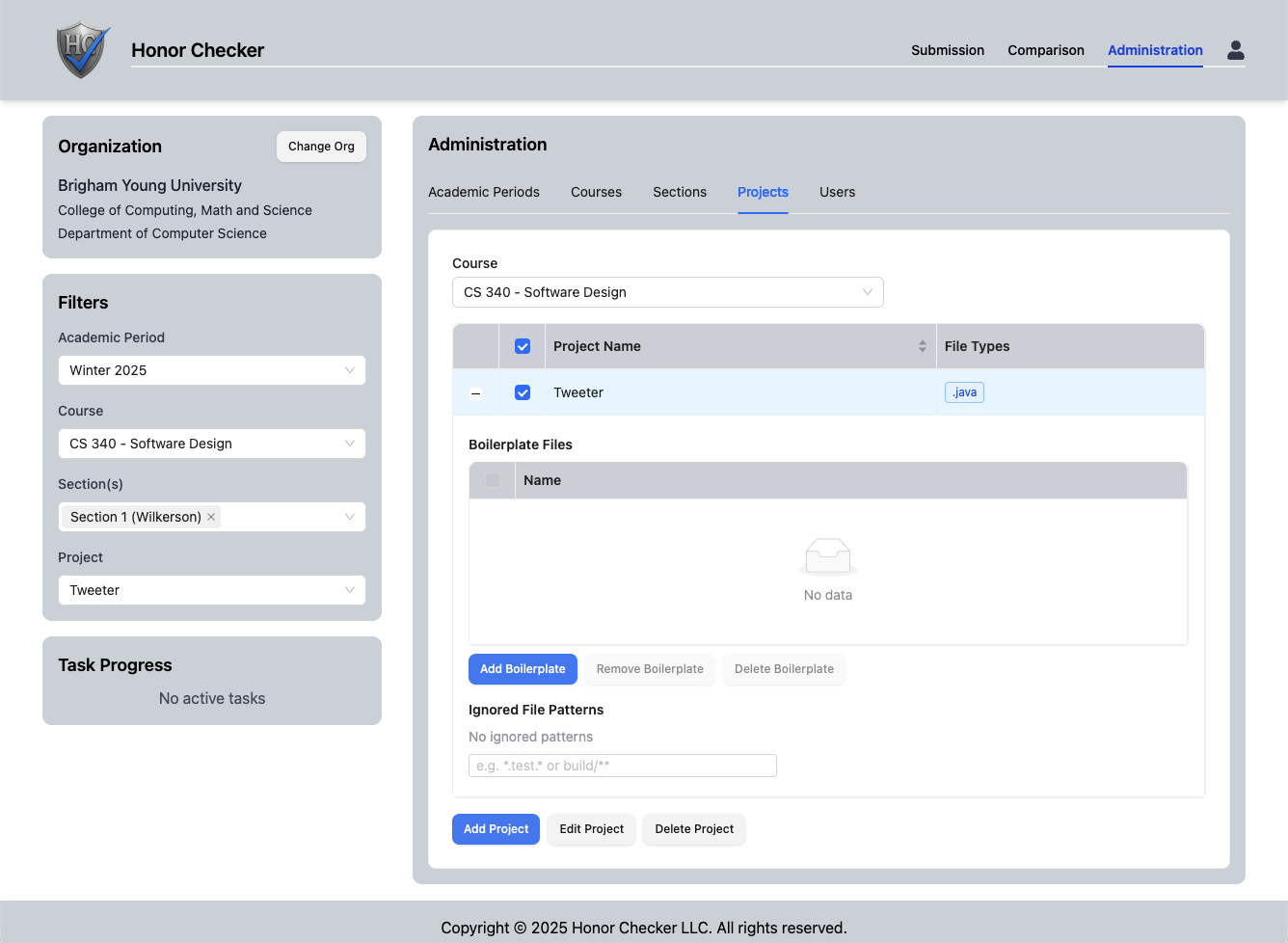
Create a course and project
Set up your organization, course, academic period and sections, then create a project for the assignment. Invitation-based onboarding brings co-instructors and section admins in with the right scope.
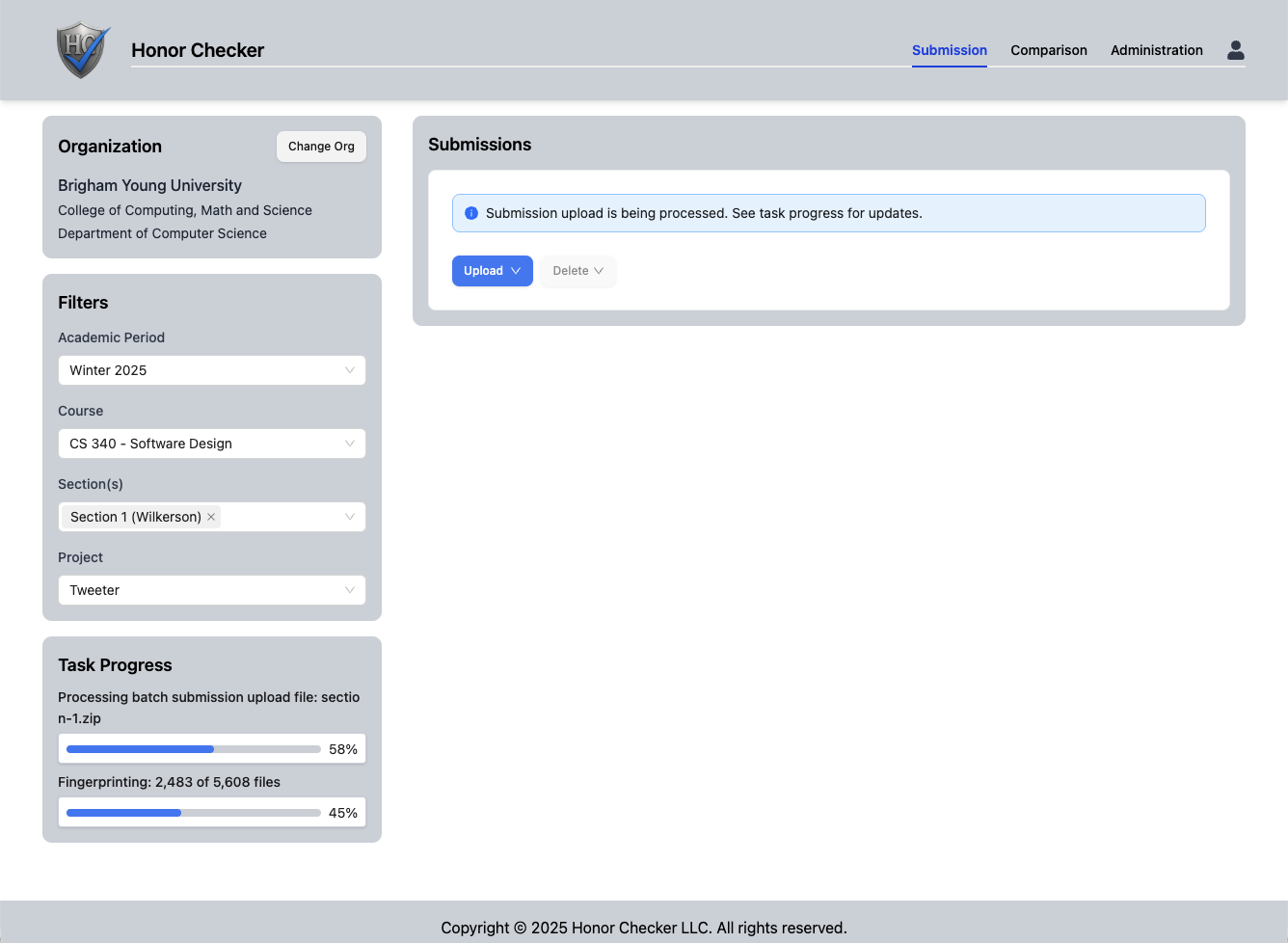
Connect or upload submissions
Connect Honor Checker to an institutional course-management system — Instructure’s Canvas is supported, with others added based on demand. You can also upload single student submissions or submission batches by course section directly. Processing runs asynchronously in the background with real-time progress, so large batches don’t block you.
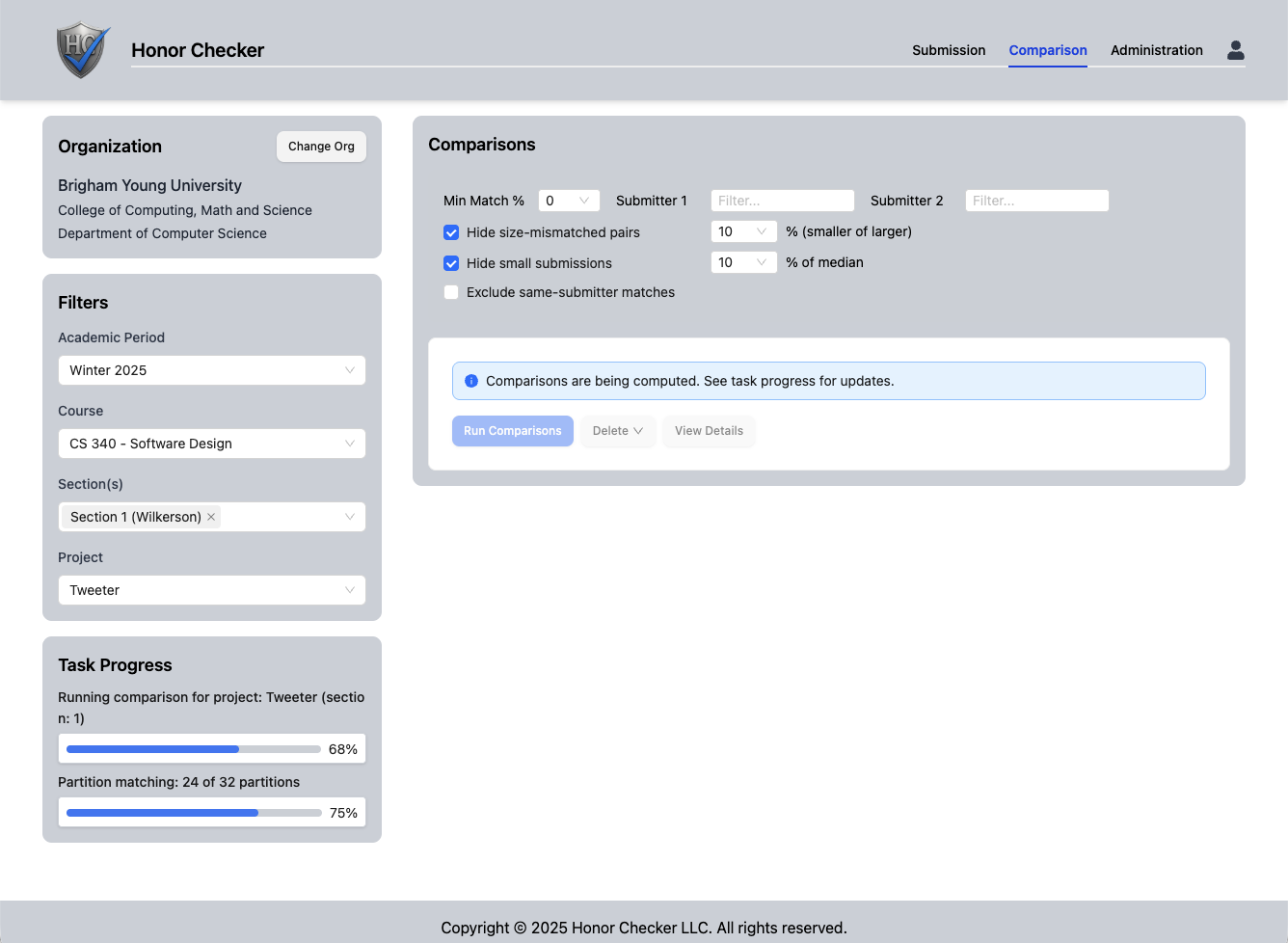
Run the comparison
Honor Checker normalizes every submission, excludes boilerplate, then fingerprints and compares across all sections and prior academic periods of the course.
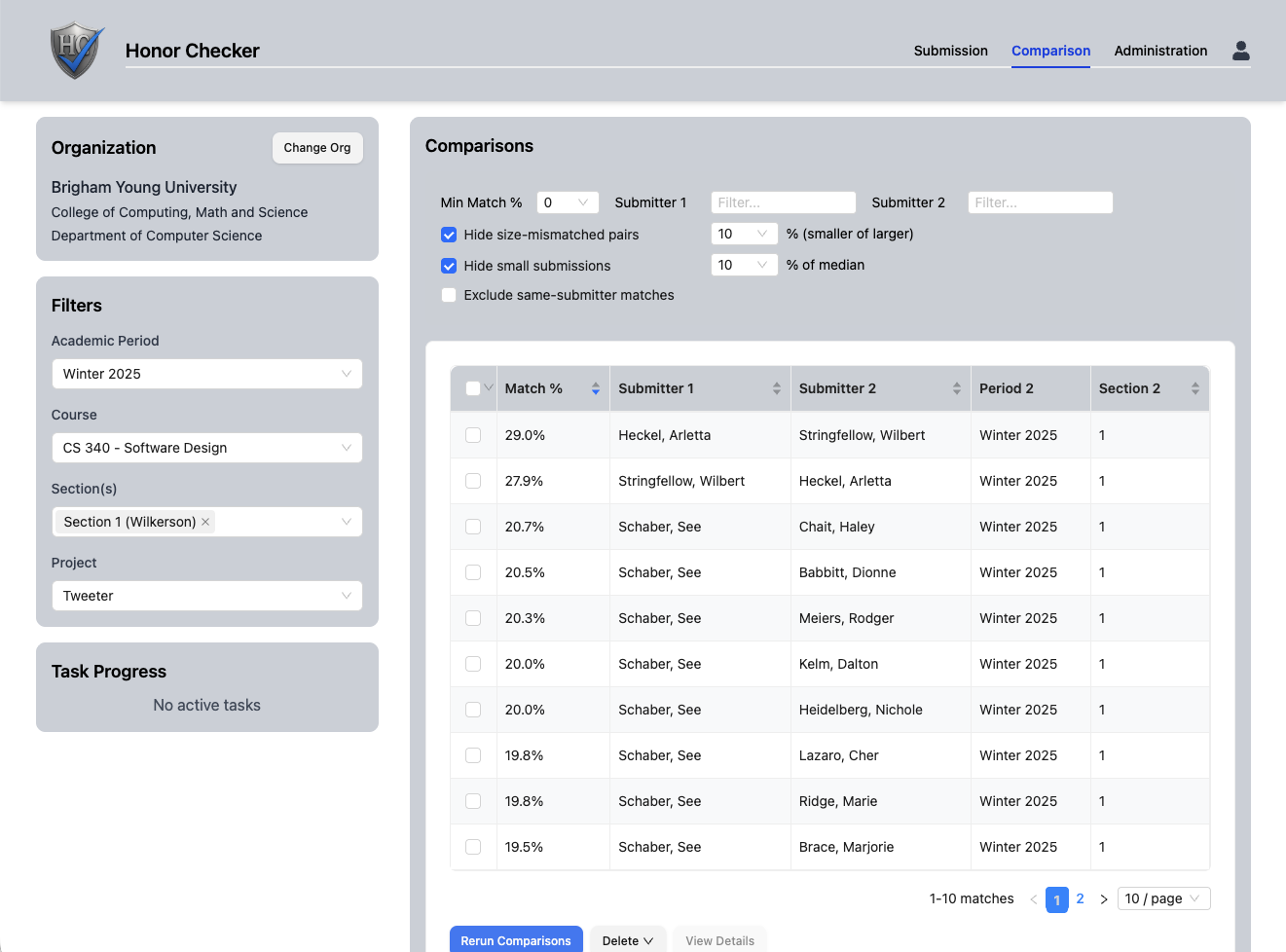
Review ranked results
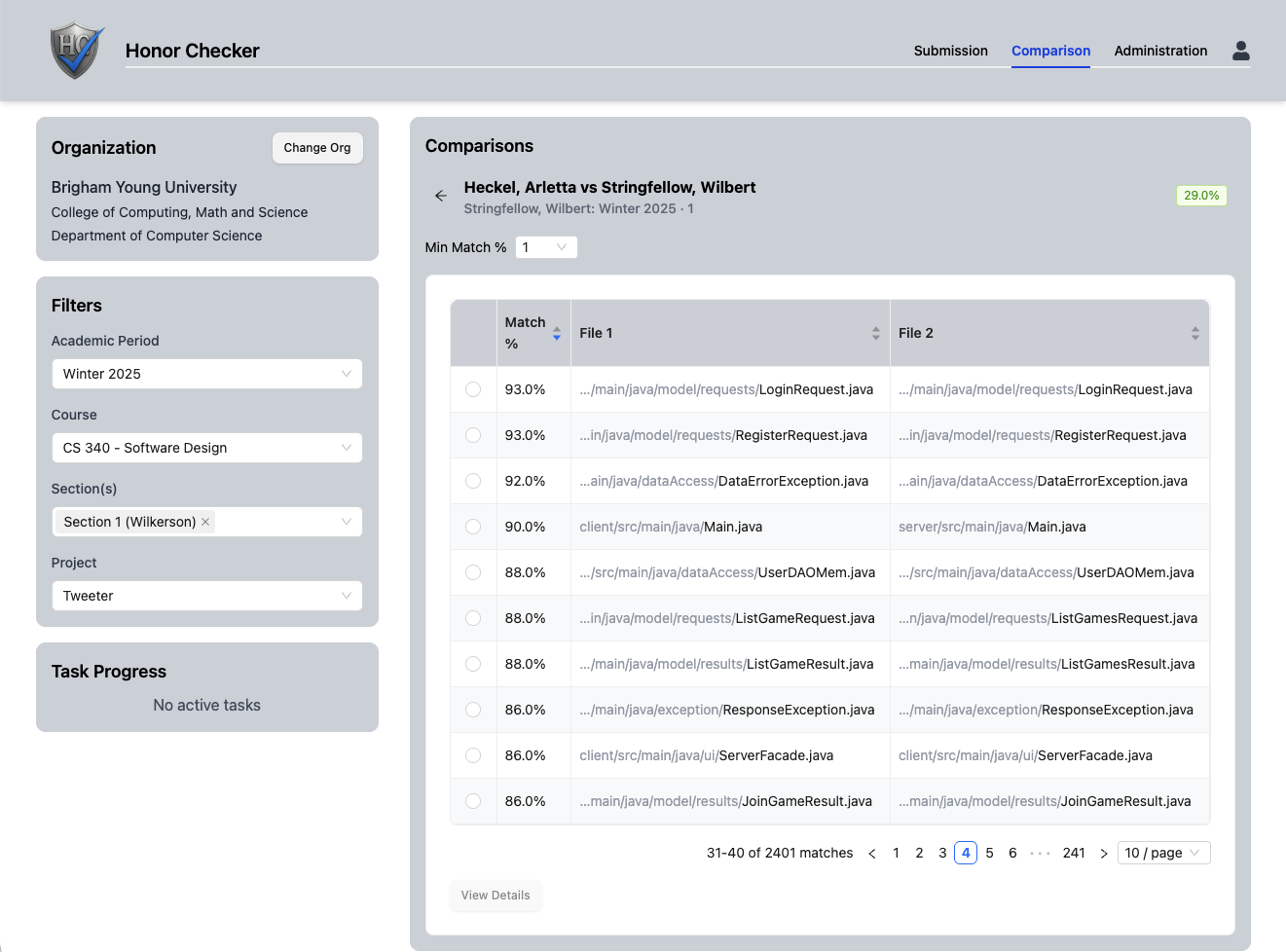
A ranked, filterable table surfaces the pairs worth a closer look, sorted by match strength. Filter and sort to focus on your section, a threshold, or a specific student.
Compare submissions side by side
Open a flagged pair to see the two students’ submissions side by side — the files that matched, their overall match percentage, and where the overlap concentrates. Start at the submission level, then drill into any file.
Dig into the evidence two ways
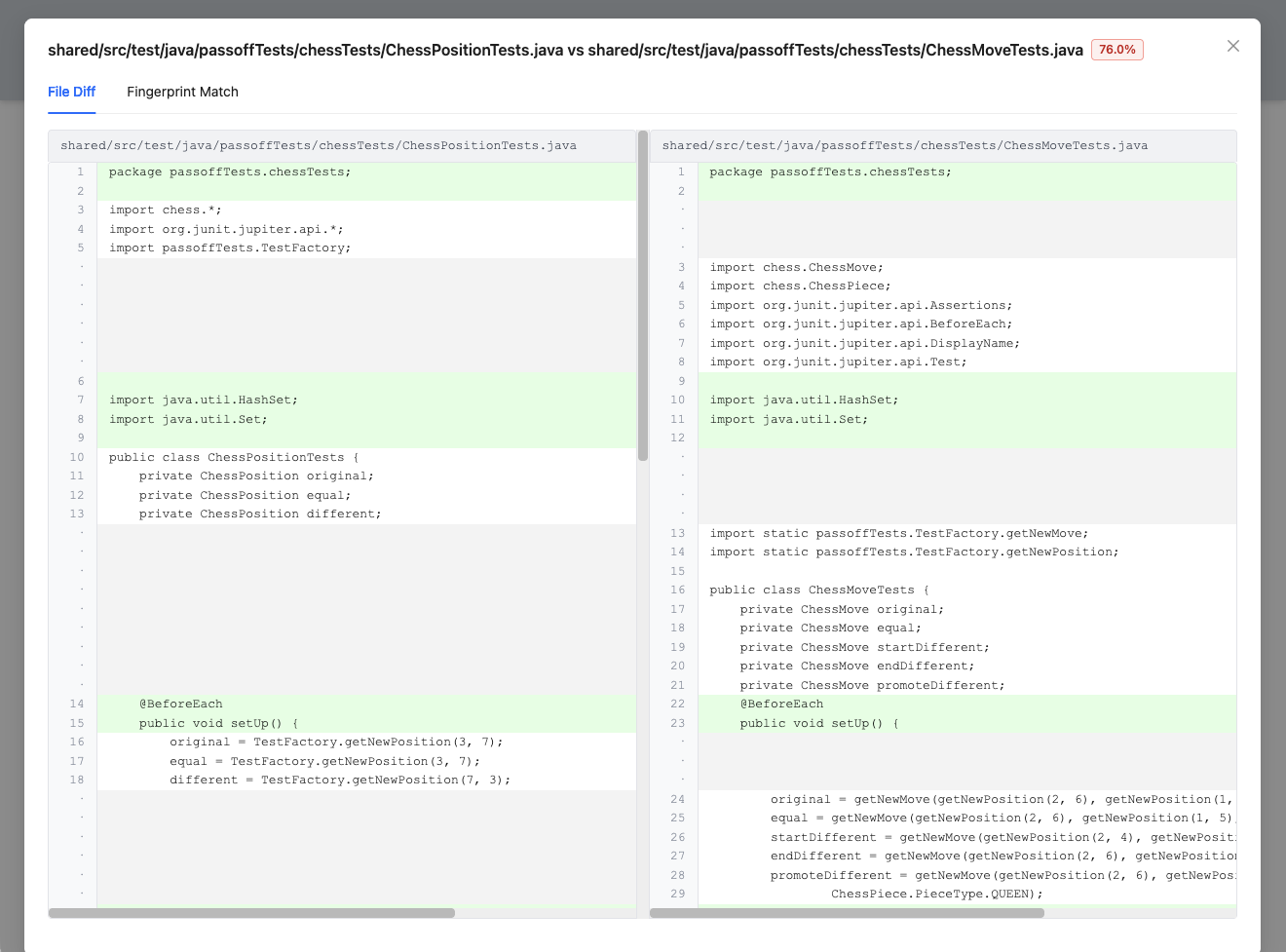
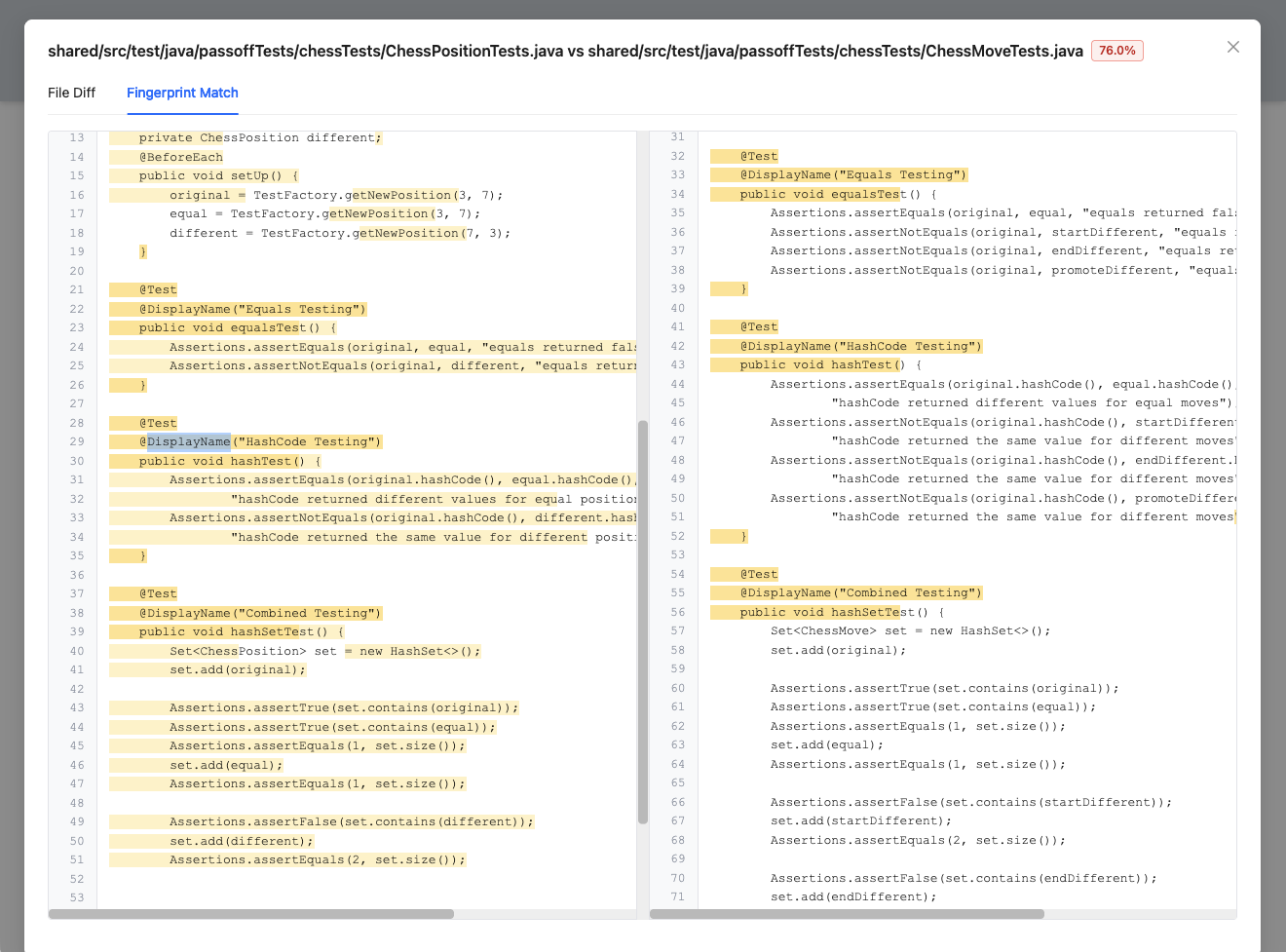
For any matched file pair, Honor Checker shows the comparison in two complementary forms — a visual file diff and a fingerprint diff — so you can see both what the shared code looks like and the underlying fingerprints that drove the match.
Any names shown in screenshots are fictitious and used for illustration only — they do not represent real people, students, or submissions.
Under the hood
Why a rename can’t fool it
Superficial edits — renaming variables, reformatting whitespace, reordering imports — change how code looks without changing what it does. Honor Checker compares the structure, not the surface.
Source code
Raw student submission
Normalized tokens
AST transformation strips names & formatting
Fingerprints
Winnowing selects representative hashes
Matches
Overlapping fingerprints, scored & ranked
The Winnowing algorithm — Schleimer, Wilkerson & Aiken, “Winnowing: Local Algorithms for Document Fingerprinting,” SIGMOD 2003 — is an academically published, well-regarded local fingerprinting method. It’s the same algorithmic lineage as classic tools like MOSS, delivered as a modern, managed product.
Boilerplate doesn’t become a false positive
Every programming assignment starts from shared scaffolding — starter code you hand out, framework stubs, import blocks everyone writes the same way. Naïve comparison lights all of that up as “matching.” Honor Checker fingerprints instructor-provided starter code and excludes it, and a de facto boilerplate threshold automatically suppresses code that appears across many submissions. What’s left is the overlap that actually warrants a look.
Catches recycled and cross-section work
Copying doesn’t respect section boundaries or the academic calendar. Comparisons span every section and academic period of a course, so a solution handed down from a friend in another section — or recycled from a submission two terms ago — still surfaces. This also matters for AI: students who share the same AI-generated solution with each other are caught by cross-submission matching.
Language support
Deep, language-aware analysis for 14 languages — Java, Python (2 and 3), JavaScript, TypeScript, C, C++, C#, Go, Rust, Kotlin, Swift, Dart, and PHP — plus support for any text-based source format. Language-aware parsing (ANTLR-based, with variable normalization) lets Honor Checker understand code structure rather than treating it as plain text; the generic fallback still fingerprints anything else you upload.
Roadmap · not yet shipped
What’s next: AI-assisted review
These features are planned, not shipped — presented here so you know where Honor Checker is headed. Every one of them starts from the same principle:
Deterministic evidence first, AI assistance second.
Matches come from a published, reproducible fingerprinting algorithm — not an AI guess. When AI features ship, they interpret, triage, and draft; a human always decides. AI never accuses a student.
1. AI match analysis & reporting
Working from the comparison data, the AI flags the pairs most worth a look and helps instructors triage them — distinguishing “everyone’s solution looks like this” from copied logic with cosmetic changes, explaining in plain English what the shared code does, and drafting the documentation an instructor submits to their academic-integrity office. Always advisory.
2. Comprehension-interview questions
From a flagged submission, generates code-walkthrough questions (“ask the student to explain why this function uses a HashMap”) for the follow-up conversation — pedagogically defensible, false-positive-safe, and aligned with how integrity cases are actually adjudicated.
3. AI assistant for results
A conversational interface for interrogating results — “which pairs in section 2 also match last semester’s submissions?” — acting as an analyst over your data, with app navigation as a secondary convenience.
Honor Checker does not claim to detect AI-generated code, and won’t ship verdict-style AI-authorship detection given the current science’s false-positive record. See the FAQ for how we think about AI-written code.
Get notified when Honor Checker is available
Honor Checker is in institutional beta. Leave your details and we’ll email you the moment it’s available for your institution.